Renewals
This section guides you through the process of Renewing an existing Health Product Application (HPA).
Prerequisites
Before beginning a variation application, ensure you have:
- The application ID of the existing registered product
Step 1: Access the Applications Dashboard
- Log in to the SAHPRA portal.
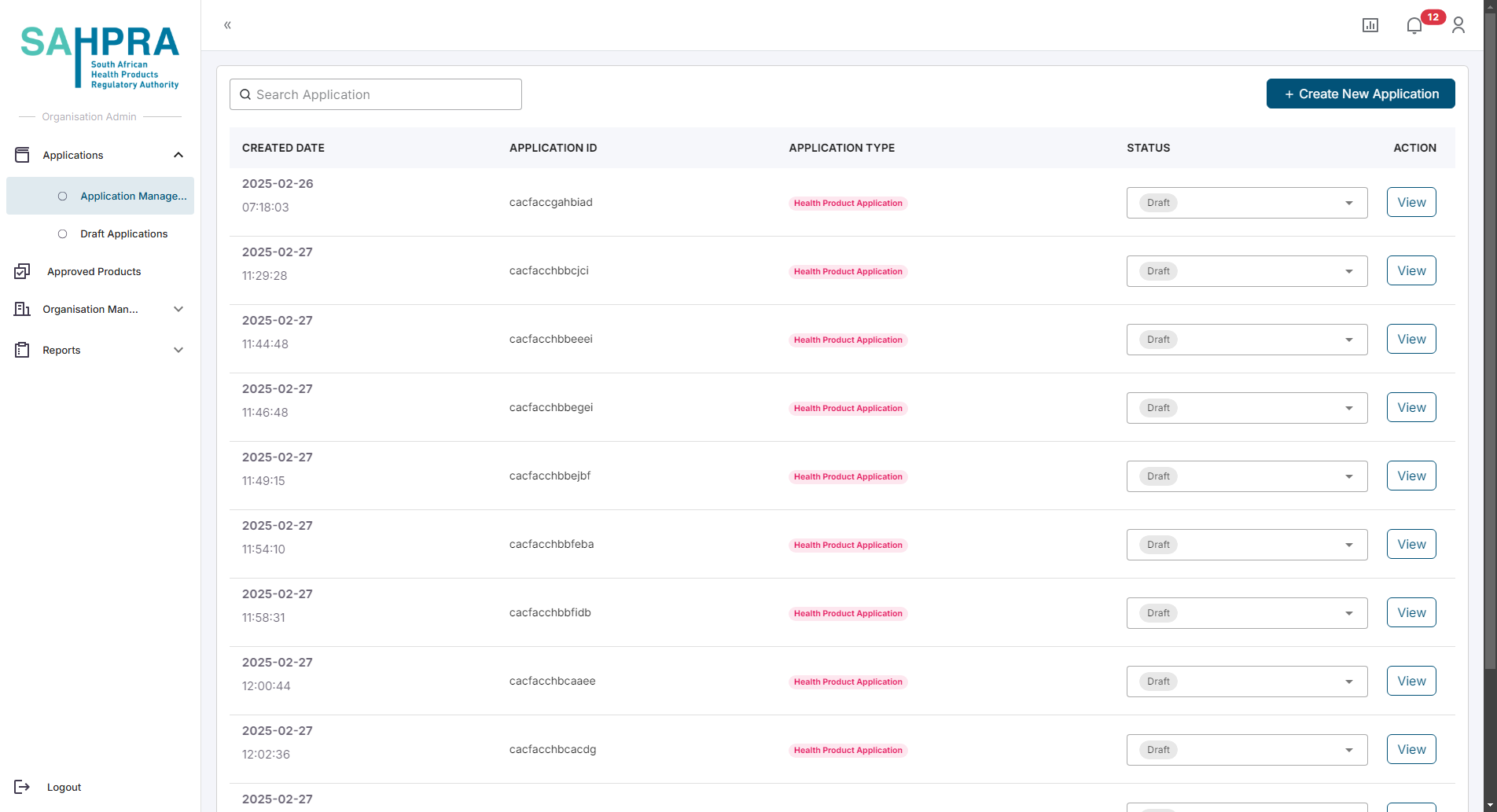
- You will be directed to the Applications Dashboard.
Step 2: Create a New Application
- Click the “Create New Application” button in the top right corner of the dashboard.
Step 3: Select Application Type
- Select “Health Product Application” from the available application types.
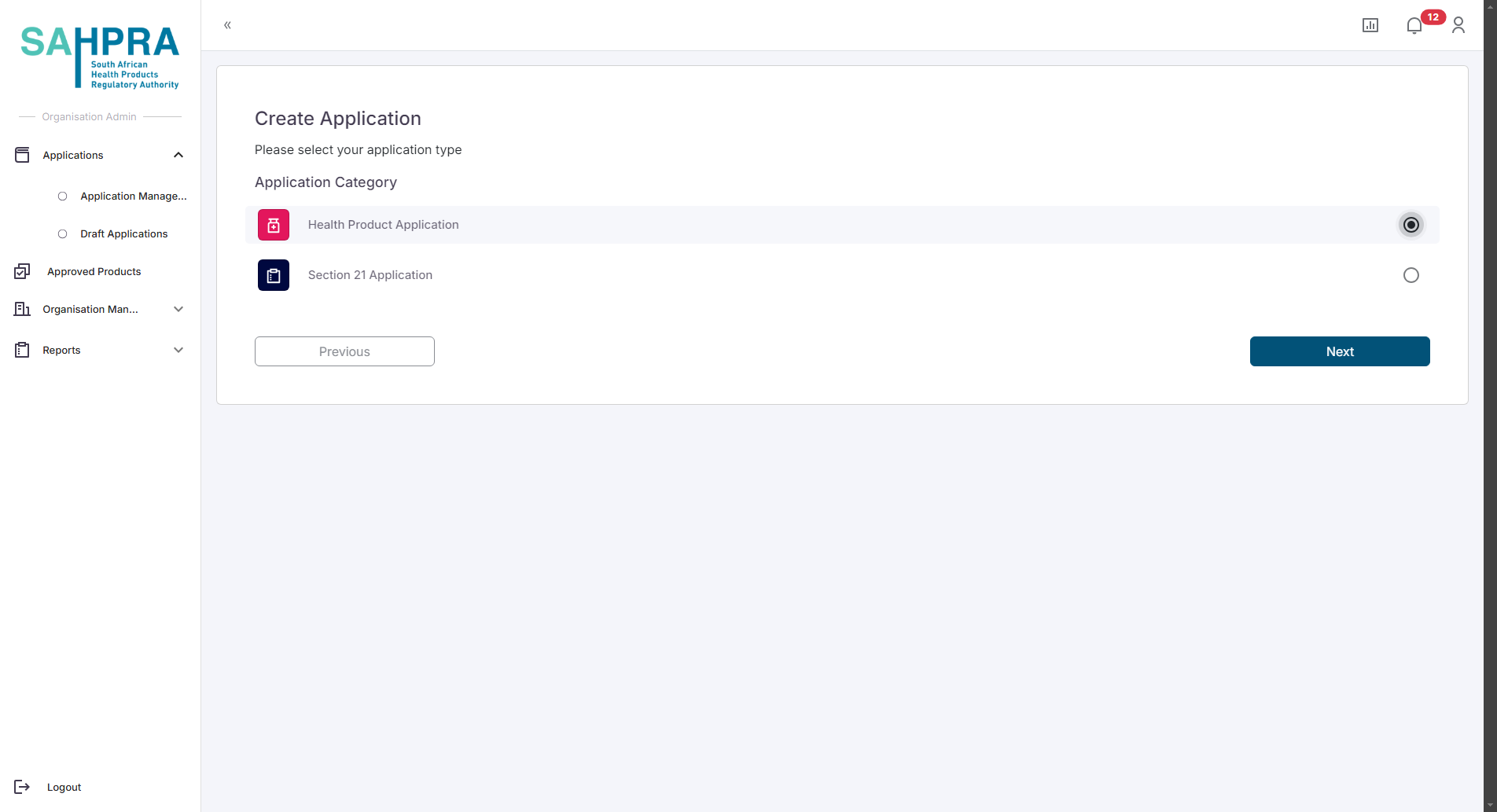
- Click “Next” to proceed.
Step 4: Select Renewal
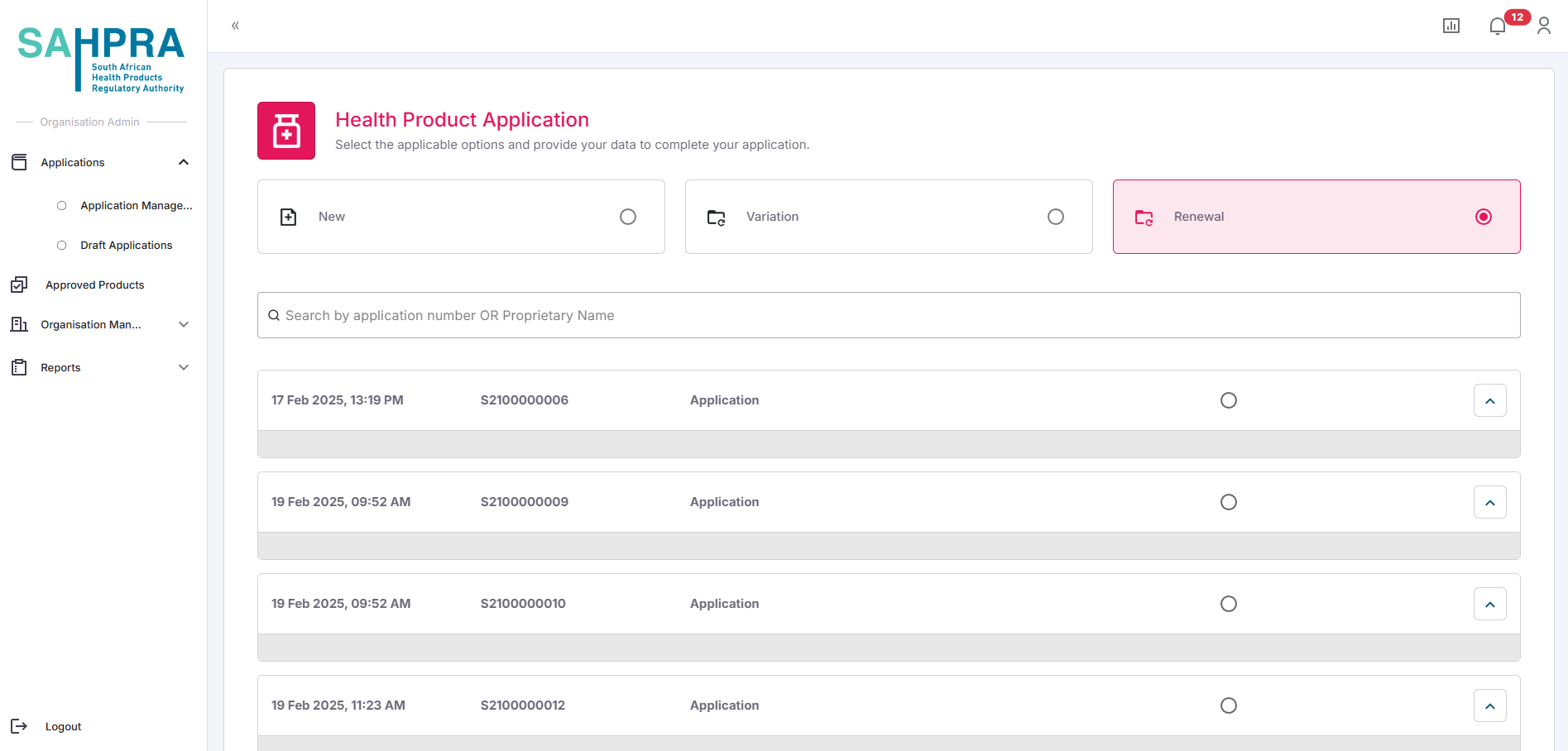
The options at the top section relate to the various options and in the case of Health Product Applications they are: New (new application), Variation (on an existing application) and Renewal (also on an existing application).
In this case select “Renewal”
Click “Next” to proceed.
Step 5: Link to Existing Application
- Select an application which you wish to renew by clicking on the radio button next to the application. You can also search via the search bar for any details of an application. Note an entire application must be renewed and strengths within an application cannot be selected. If you wish to delink a strength from an application a variation “Delink Application Number (New Application ID Creation)” can be initiated.

The system will display the matching application.
Select the application by clicking the checkbox next to it.
Click “Next” to proceed.
Step 7: Create a New Sequence and complete payment
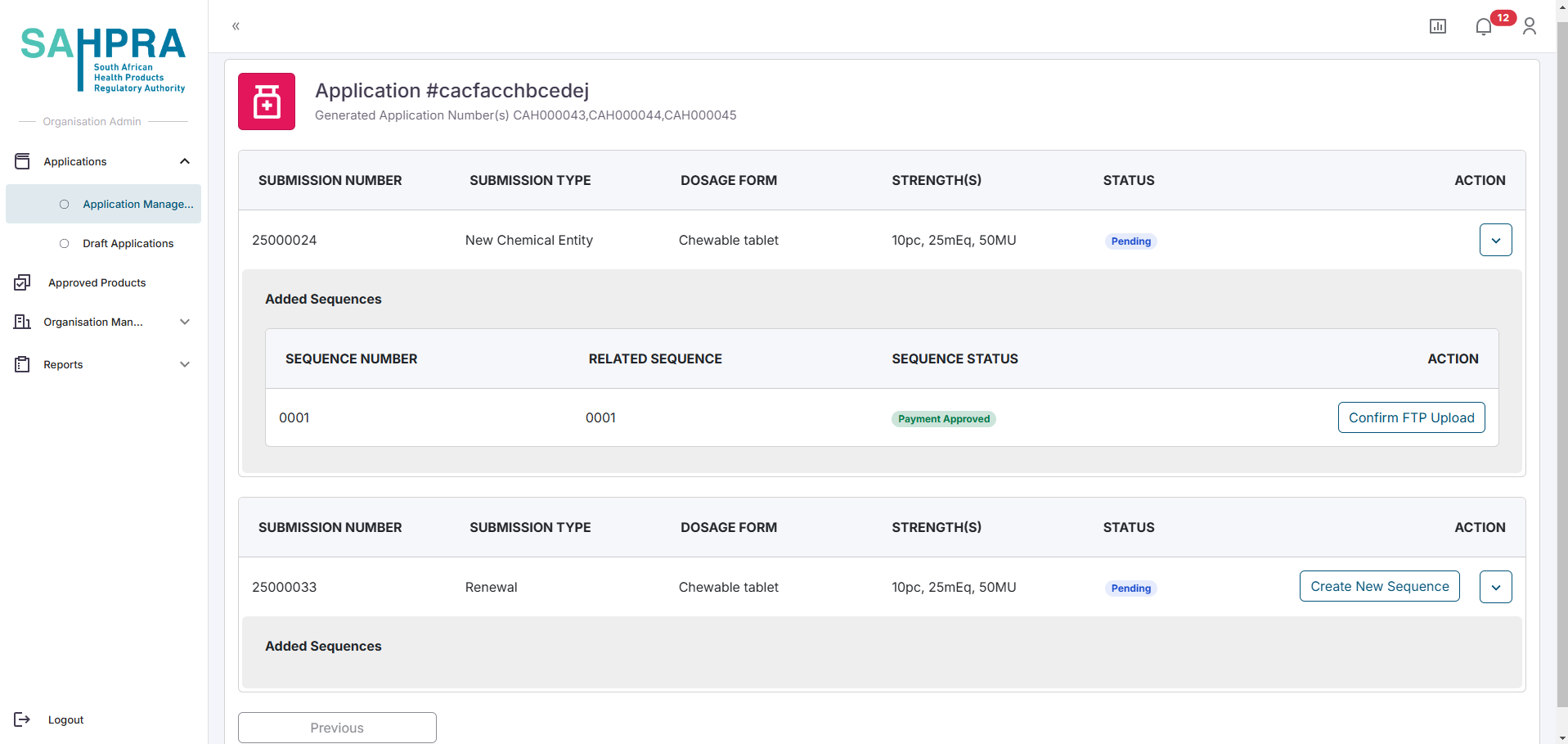
Once you are satisfied with the details and clicking the “Next” button a submission will be created, a sequence can be created, paid and submitted (Process for submission and sequence creation are described in detail in the “Creating a New Health Product Application” here). Once the application is approved the expiry date will be set to the applicable new expiry date.
Tips for Successful Variation Applications
- Ensure the variation code selected accurately reflects the changes you want to make.
- Provide comprehensive details in your variation description.
- Prepare all supporting documentation before starting the application.
- Double-check that you’ve linked to the correct existing application.
- Ensure your payment proof is clear and includes all required reference information.